RigiTech Software Update - April 3, 2023
RigiCloud and Edge Node - v1.7.0:
Added
Airbridge Planner:
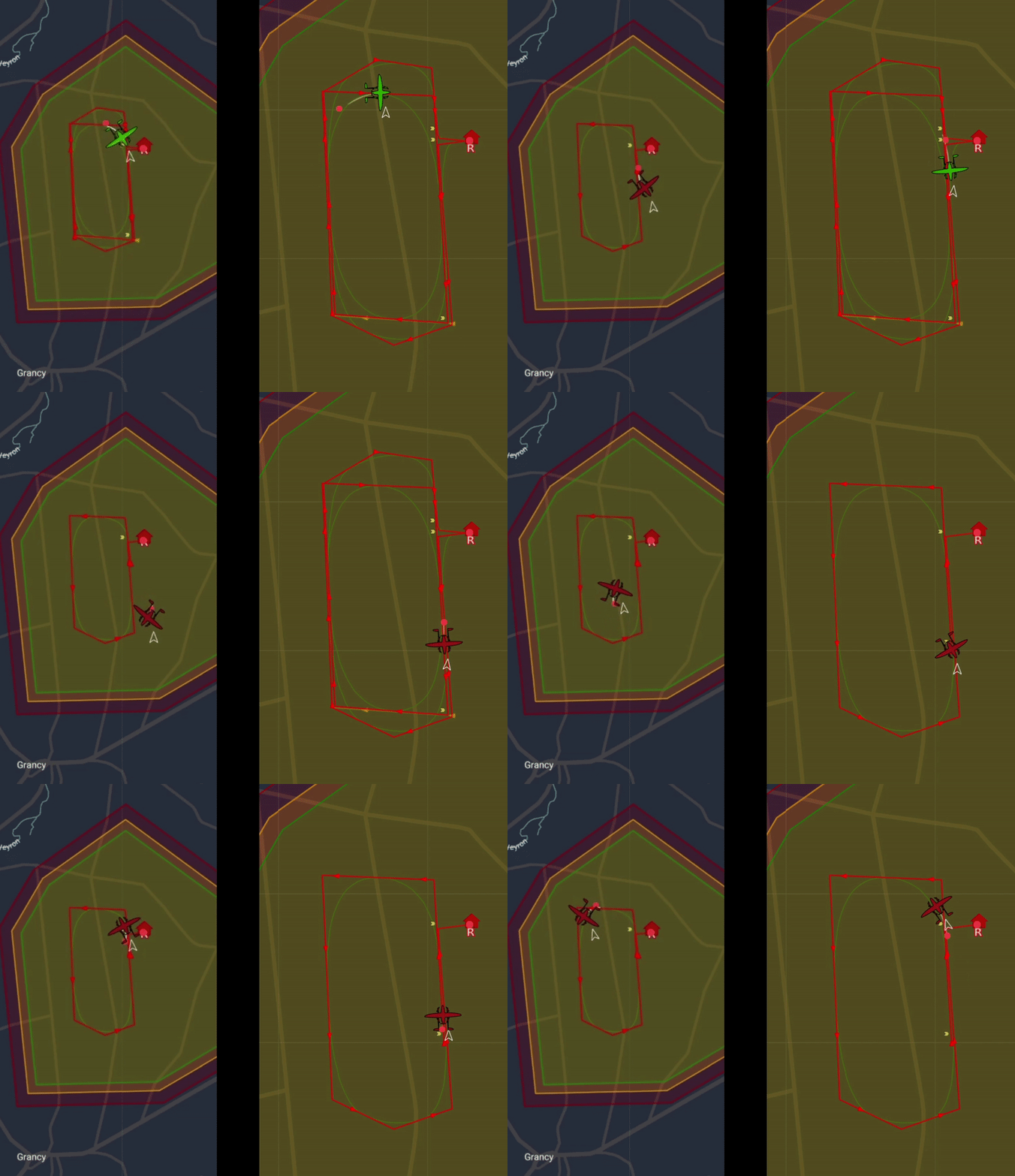
- Tight-space U-turn: The type of 180-degree turn (Fixed-wing banking turn, left, or Multicopter U-turn, right) can now be defined on a per-route basis in the route Safety Settings, allowing different behaviour for routes with tight geocages than for those with more space to turn.
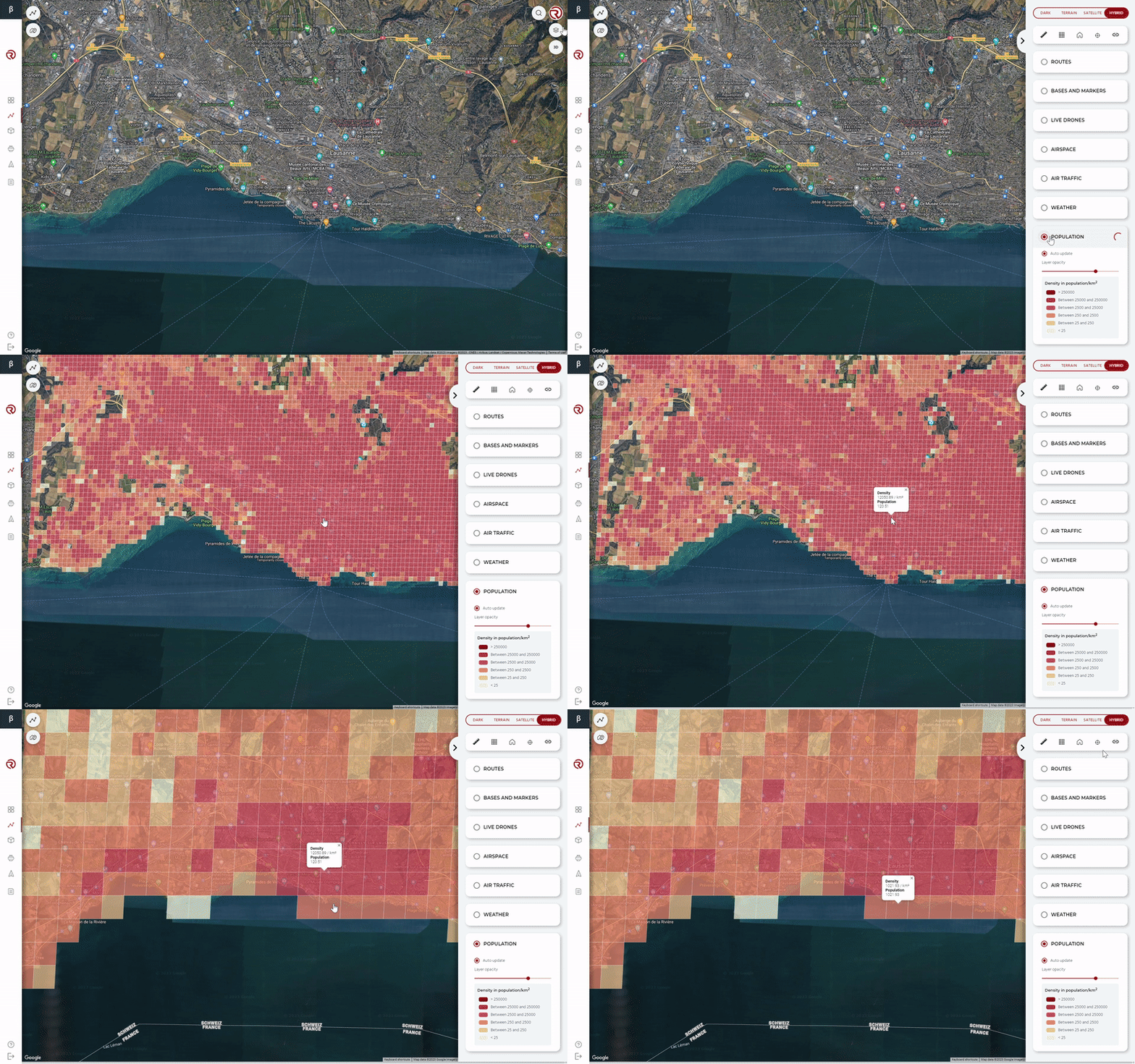
- Worldwide population density: This feature, originally covering only France, has been extended for worldwide coverage through the Global Human Settlement Layer of the European Commission. Note that coverage is best in Europe, with large deviations in America and Asia due to the projection model of the source database.
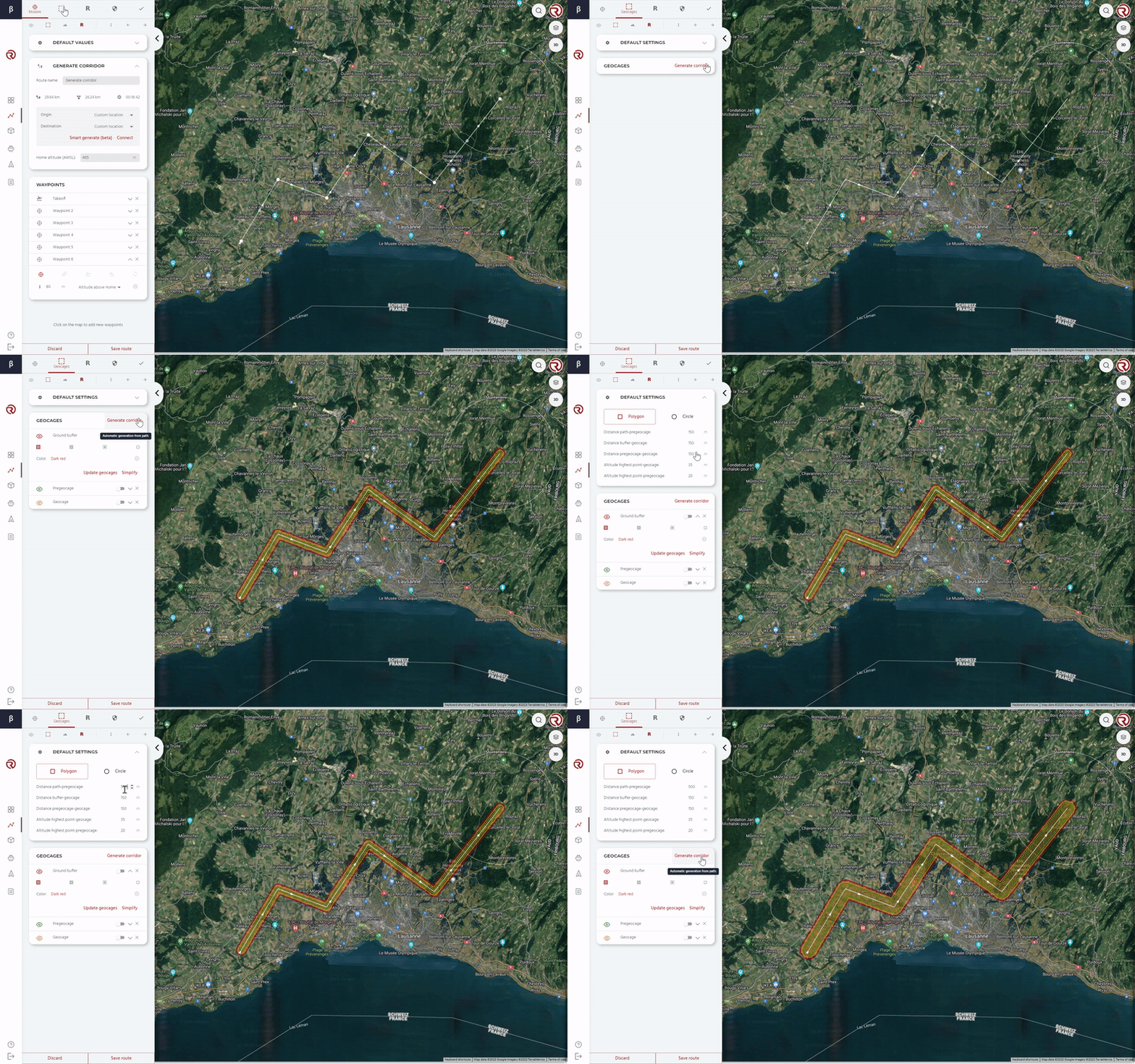
- Corridor-based geocage creation: A full semantic corridor (Geocage, Pre-geocage and Contingency Buffer) can be created automatically based on a route and a few distance parameters.
- SRP (Straight to Rally Point) can now be selected for some situations in the Safety Settings, in additional to previously-available options.
Control Tower:
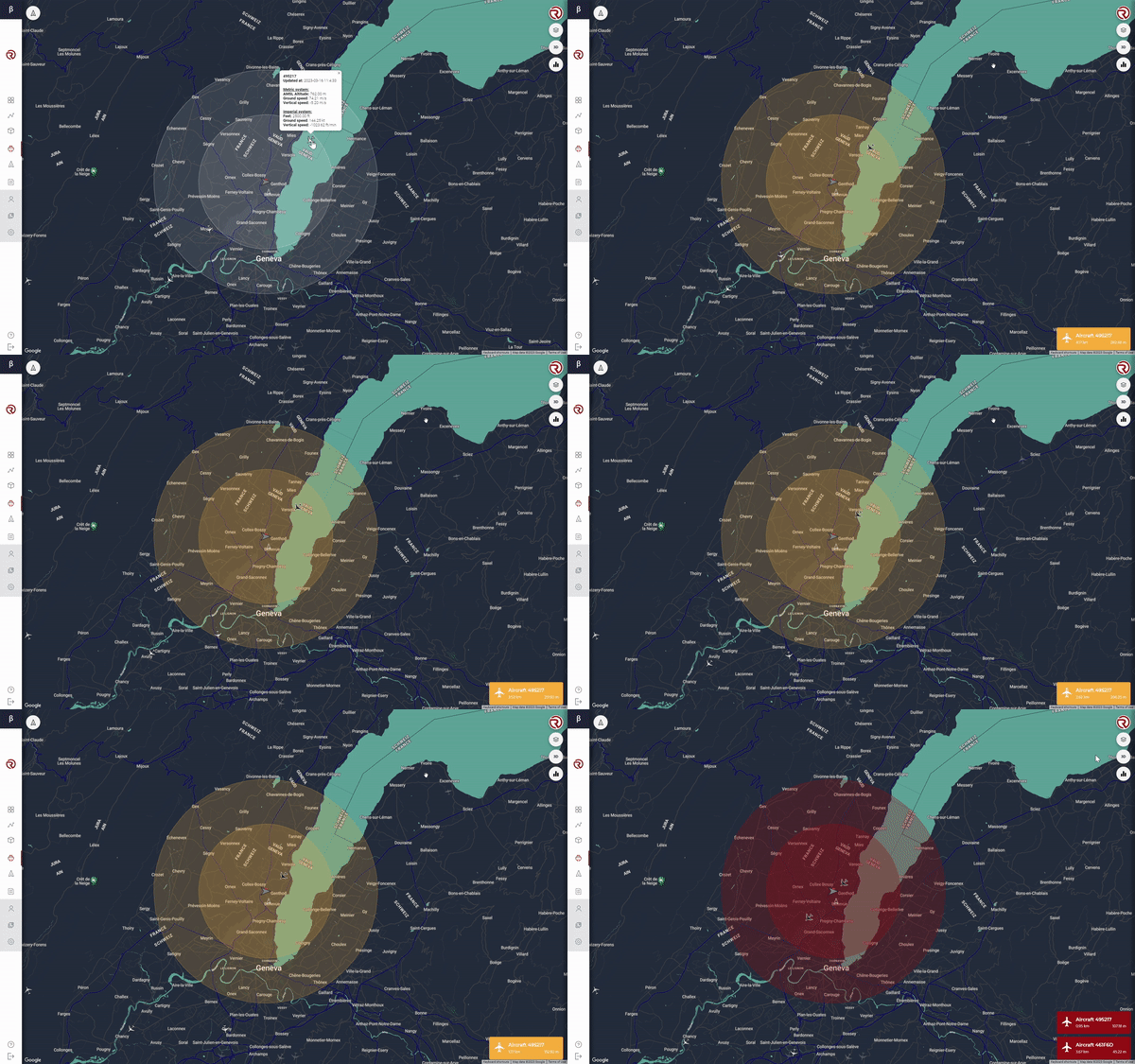
- Air traffic detection volumes:
- Two cylinders can now be defined around the drone's position to represent the "All-clear volume" and the "Collision Imminent volume".
- If an aircraft is detected in either of these volumes (through RigiCloud's integrated Air Traffic layer) the volume and the intruding aircraft will both change colour (yellow or red depending on the volume).
- An icon will appear with details on the aircraft's relative position to help the operator make a corrective decision.
- Verbose messaging: Messages that are displayed in the Messages box are now dependent on User permissions. Users with lower permissions will not see all the messages seen by higher-permissions Users. This creates a cleaner interface and prevents information overload to the Operator.
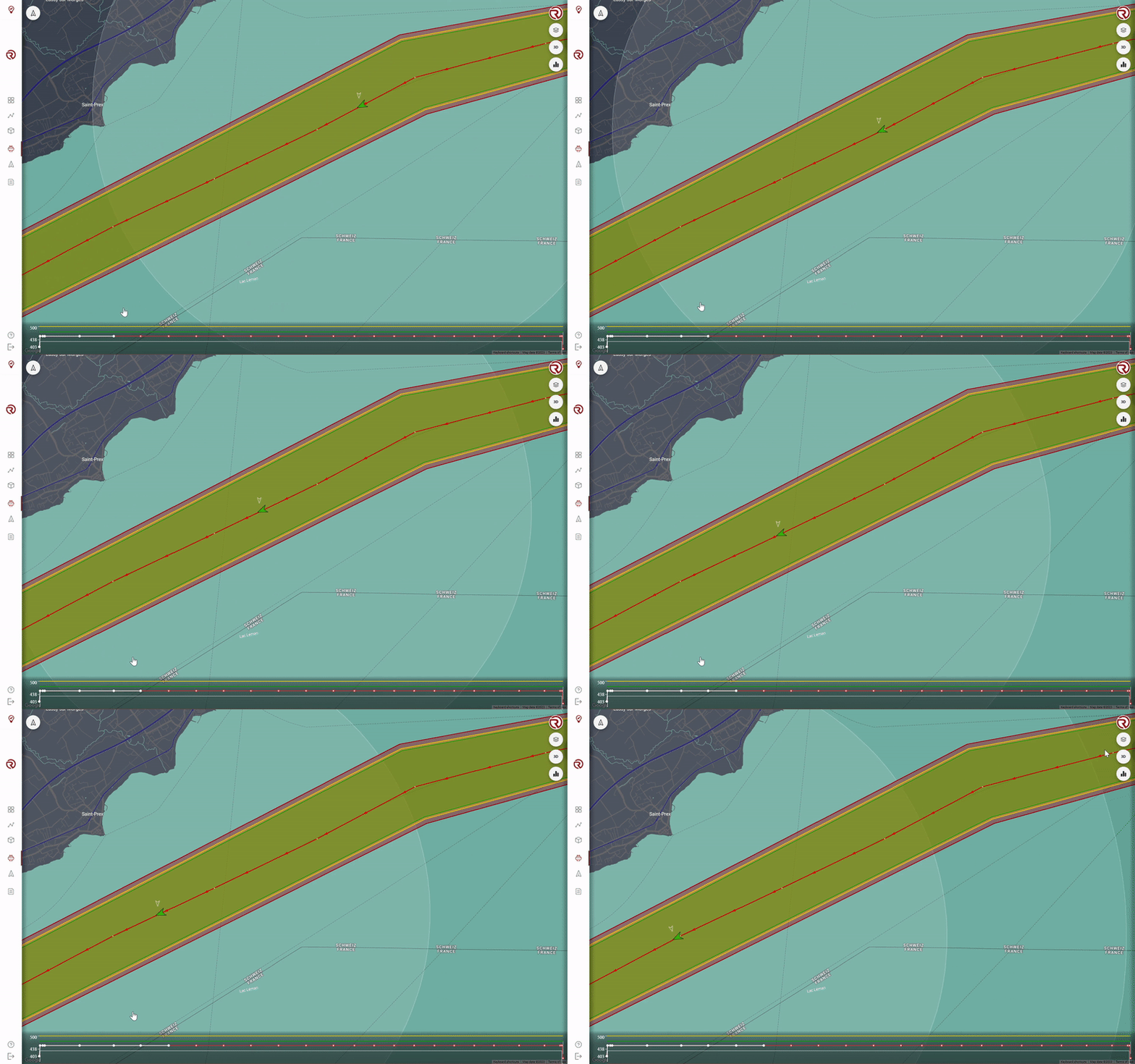
- Altitude Profile Display and Tracking: The altitude profile of a selected flight plan is displayed at the bottom of the map interface, together with the terrain elevation and the floor/ceiling setpoints. During flight, the completed segments and waypoints switch colours (red to white).
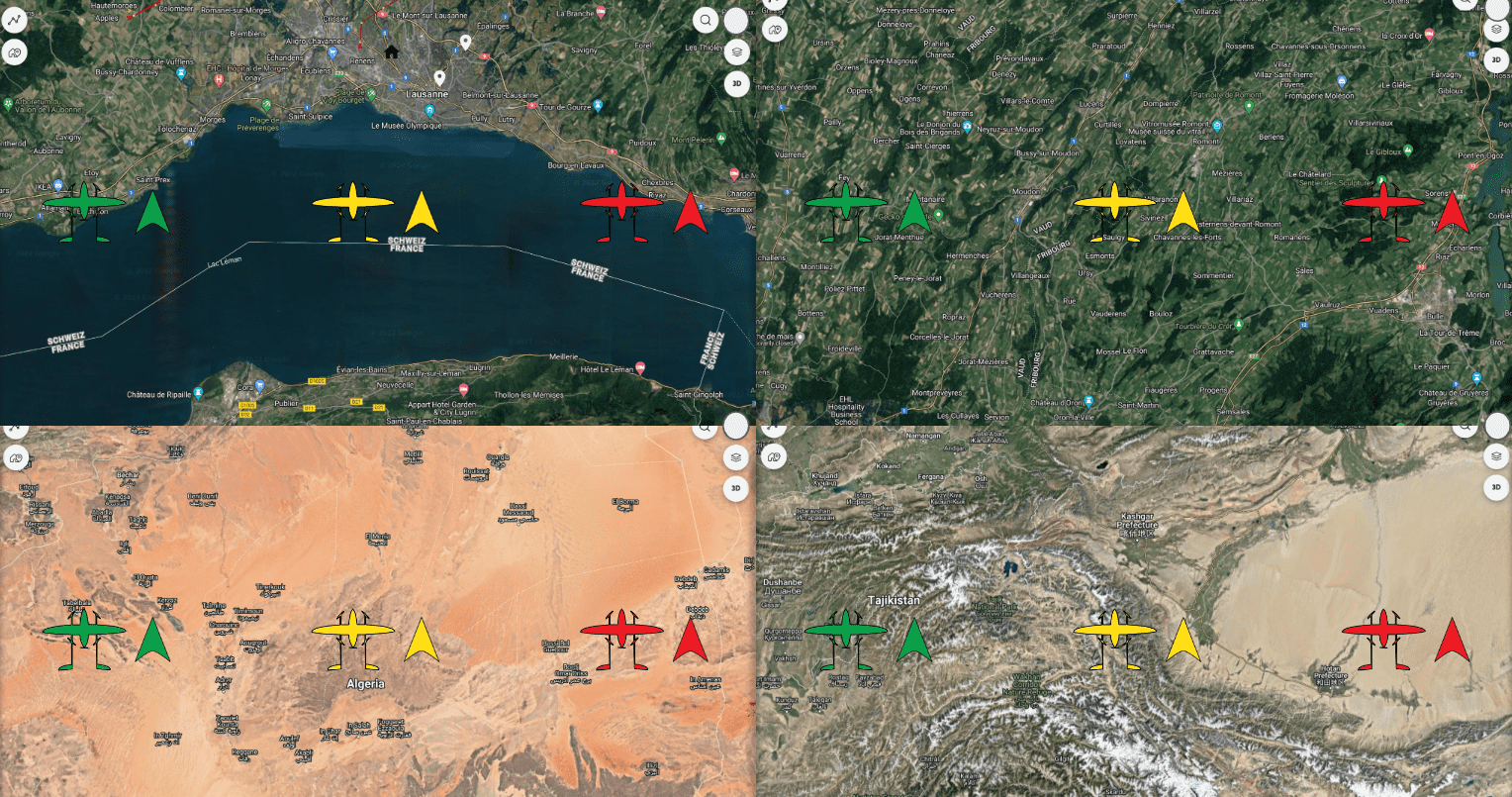
- Drone icons and colours: Drones and simulators now have differing icons to make them more easily distinguishibe. The colours of drones and simulators has also changed and now represents the status of the drone/simulator (see RigiCloud User Manual for details).
- The Ground distance sensor health is now checked and displayed in the Drone health list.
- If the detected wind speed is above safe limits, a warning will be displayed in the Messages box to encourage the operator to take corrective action.
Logistics Center:
- Delivery Request interface:
- A new Logistician User role is now available specifically for creating Delivery Requests and handling ground operations.
- A new interface allows creation and tracking of Delivery Requests, which specify the desire for a delivery Operation at a specific Base or Marker.
- The Operator can see all pending Requests and convert them into Operations, either in the Scheduler or directly in the Control Tower.
- Once a Request is linked to an Operation, the Logistician receives email updates on status changes and expected delivery/pickup time.
- In addition to the existing Autopilot Log synchronisation, the drone will now automatically synchronise the Onboard Computer log after every operation.
Fleet Management:
- Drone-level details page: A new page that exposes details on an individual drone's flight statistics, performance, metadata and past operations can now be accessed by clicking on the drone's serial number in the Drones page.
- Drones are now all grouped together in a single list instead of being organised by Bases.
General:
- Improved networking and connection time between drones and RigiCloud.
- Bugfixes, reliability improvements, software refactors.
Onboard software (OC) - v0.14.0:
Fixed/Improved
- Precision Landing improvements:
- Precision landing can now be used after an RTO (Return to Take-off) or SRP (Straight to Rally Point) command, if the associated points have a Precision landing pad. Previously, Precision landing was only available in a normally-executed mission at the Land waypoint.
- Accuracy and speed of precision landing improved through controls optimisation and the integration of new Aruco code dictionary.
- Parameter persistance for simulators: Simulated drones now keep parameters between boot. This removes unnecessary error messages and increases simulation fidelity.
Autopilot (AP) software - v1.13.1:
Added
- The maximum number of vertices for a geocage increased from 63 to 255, allowing more complex flight routes.
- Detection of partial clogging of airspeed sensor, subsequent disconnection of the sensor and switch to degraded fixed-thrust flight mode.
Fixed/Improved
- Improved altitude tracking during front and back transitions.
- Improved flight performance when in degraded flight modes.
Failsafe Computer (FS) firmware - v0.11.0:
Fixed/Improved
- Barometer is now logged at a more consistent rate.