RigiTech Software Update - July 22, 2024
RigiCloud and Edge Node - v1.12.0:
New Features
Control Tower
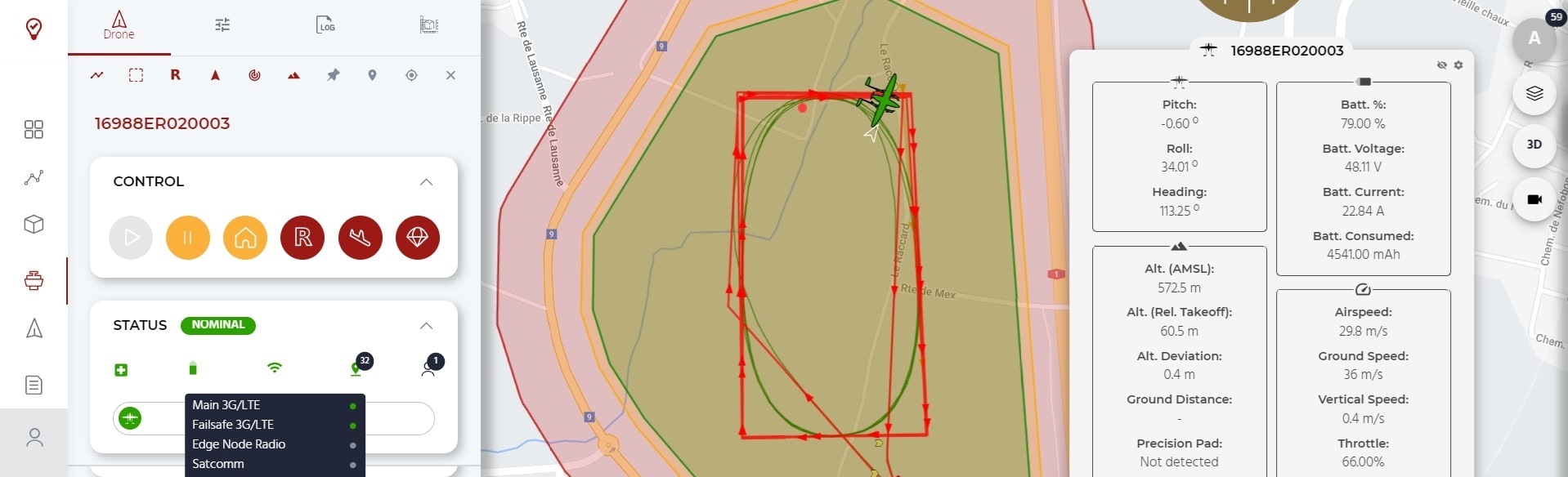
- Re-vamped Communication Link Tooltip in the Status box
- Information about each available datalink - Main link, Failsafe link, Edge node link and SBD-Satellite link - is now displayed in a more straight-forward manner. Link status based on latency is shown as a simple health chip.
- Total link quality is combined across all links to provide a holistic and simple indication to the operator.
- Backend improvements in networking for each link allow the system to better gauge each link's quality.
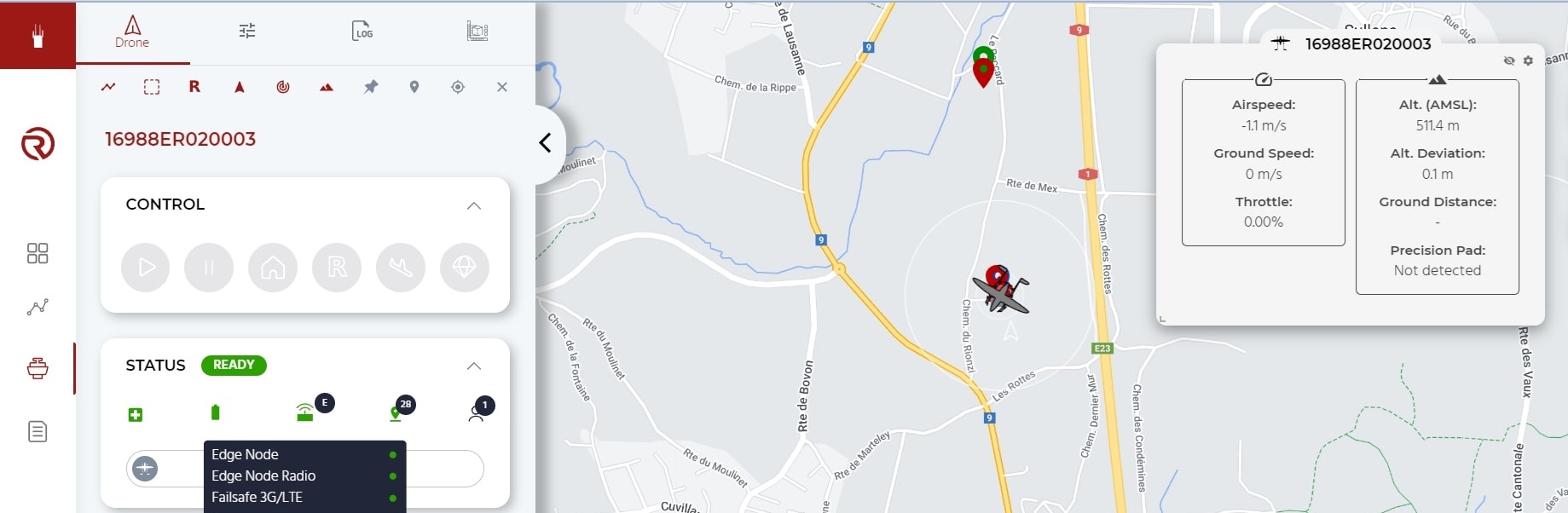
- Additional checks upon route upload ensure that no Rally Points are placed outside of the geocage.
Planner
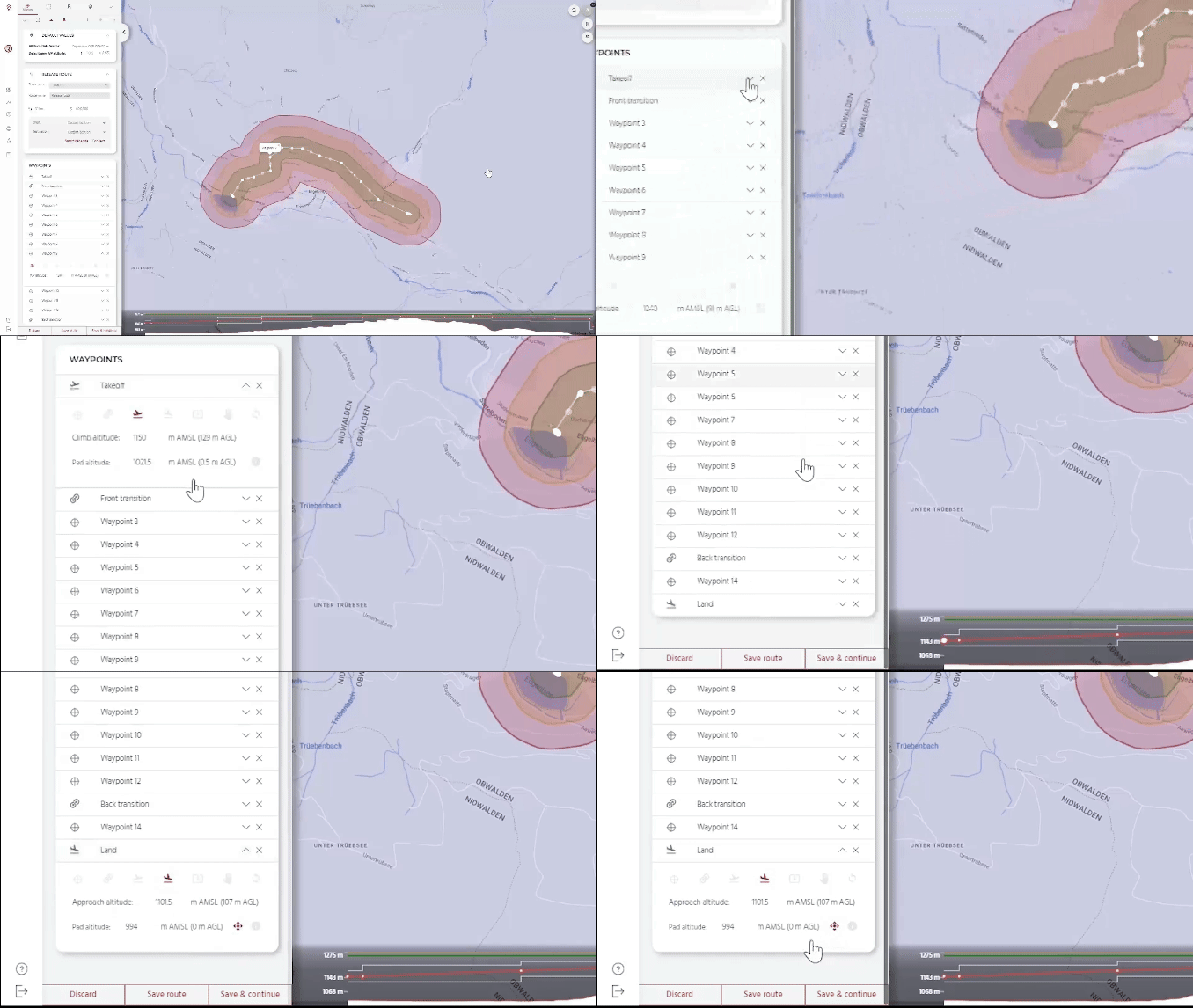
- The structure of a flight plan has been significantly refactored to improve the symmetry of routes, better handle climb/approach phases to Takeoff, Drop and Land points (in particular during contingency behaviours), and prepare for future features. This backend change results in some important changes in the way a flight plan is created:
- Home Altitude, as a general concept in a Route, has been removed. It is also no longer possible to plan a route or any waypoints in the "Altitude about Takeoff level" reference frame. All routes and waypoints are now planned strictly in Above Mean Sea Level (AMSL) to avoid reference-frame errors. The Altitude above Ground level (AGL) reference, however, is still shown to aid in planning.
- Takeoff, Land and Drop waypoints now have a Pad Altitude and a Climb/Approach Altitude. When taking off, the drone will climb vertically to the Climb/Approach Altitude before going to the next waypoint. Conversely, when approaching a Land waypoint (or the Takeoff waypoint during a Return-to-Land manoeuvre) the drone will approach towards the Climb/Approach Altitude before descending vertically towards the Pad Altitude.
- All existing Routes will be automatically migrated to the new structure. However, we recommend all active flight routes to be reviewed by clients before flying for the first time to ensure migration was successful. Before flying, make sure to check:
- All Pad Altitudes (Takeoff, Land and Drop waypoints) are correctly set to the true landing altitude in AMSL, especially if it is elevated (ie. on a roof or platform). A default value will be suggested based on RigiCloud's terrain model, but the model can have significant inaccuracy especially in hilly terrain.
- The Climb or Approach Altitudes are set to at least 20m above the Pad Altitude (we recommend 30m).
- For Land and Drop waypoints, the Precision Landing field is enabled or disabled based on the route's requirements.
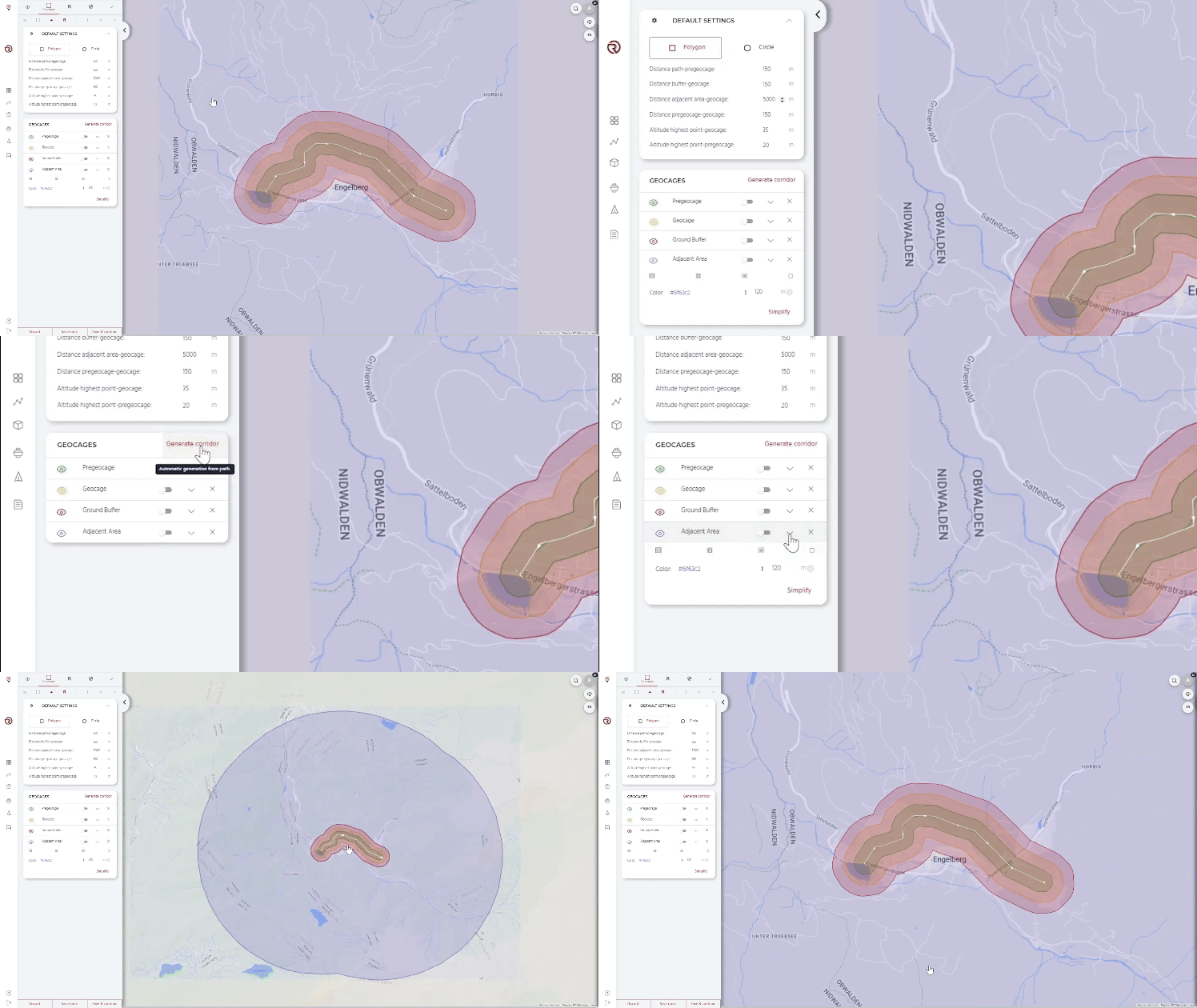
- A polygon showing the Adjacent Areas outside of the planned geocage is now displayed, aiding in the preparation of the SORA semantic model and documents.
- A new check in the Safety Checks will warn if a route is beyond the flight time specifications of the drone.
- The Terrain Graph in Planner has a zoom function, allowing more detailed review of the vertical aspects of a Route. There is also more information in the tooltips on the Terrain Graph.
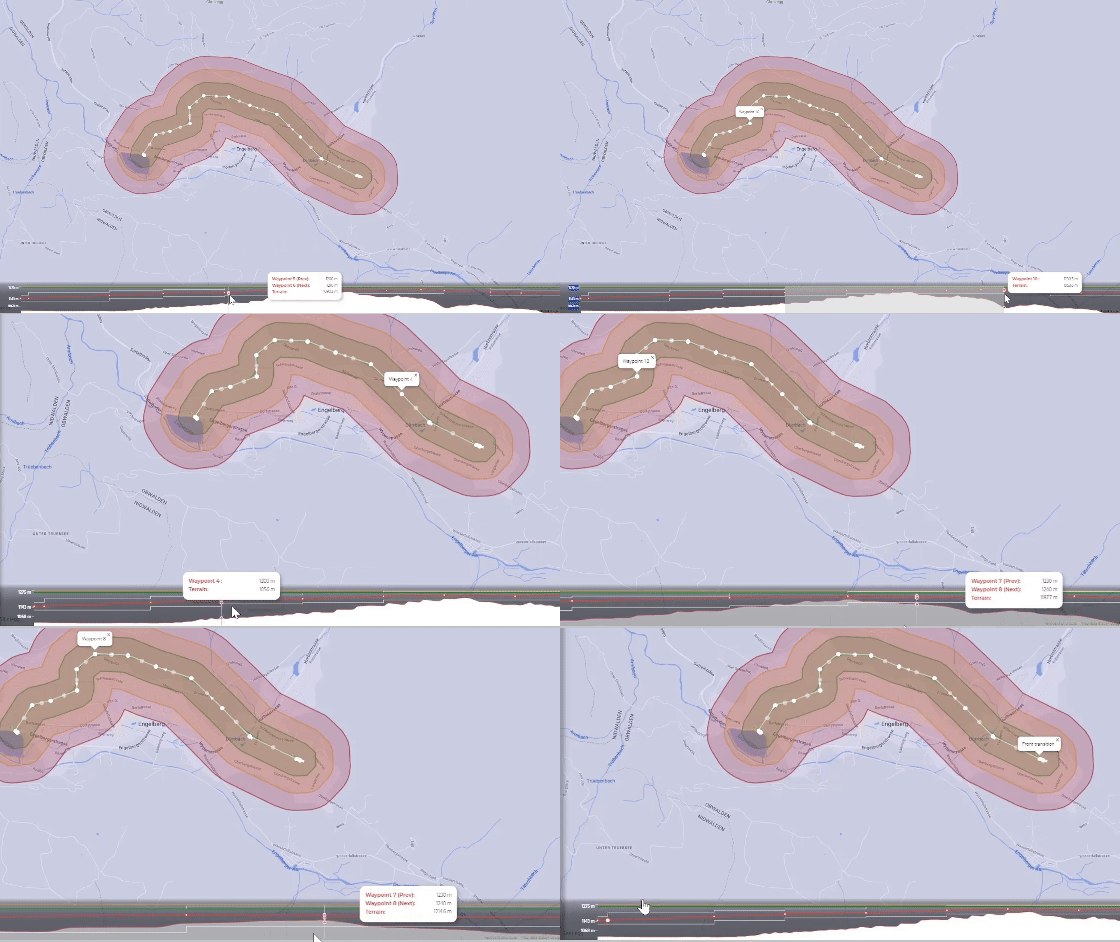
- A new terrain database source is available for Luxembourg.
Fleet Management
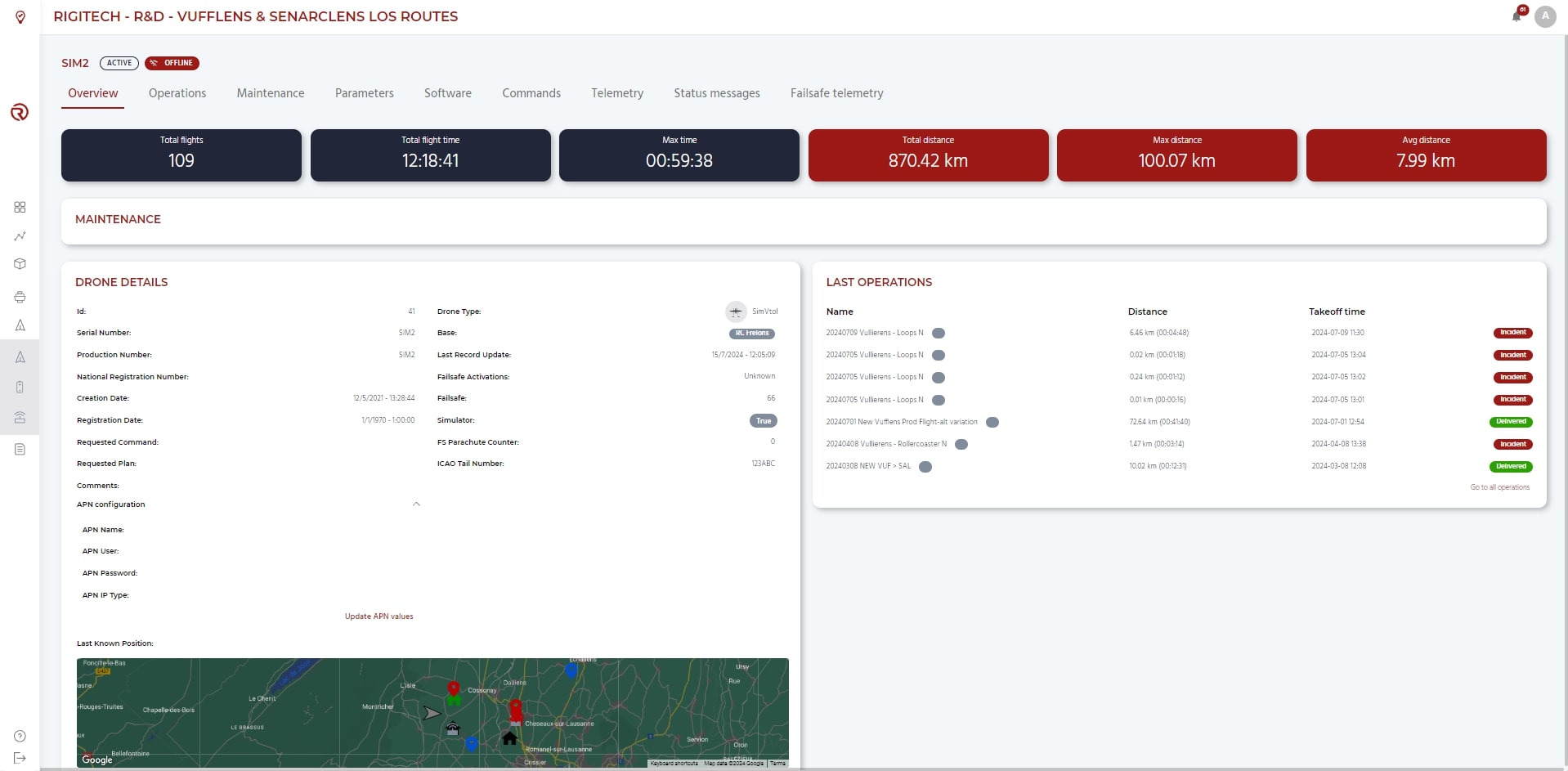
- APN configuration for the SIM card for the drone's Main link can now be done in the Overview tab of a drone's details page. This allows for easier swapping of SIM cards.
Edge Node Dashboard
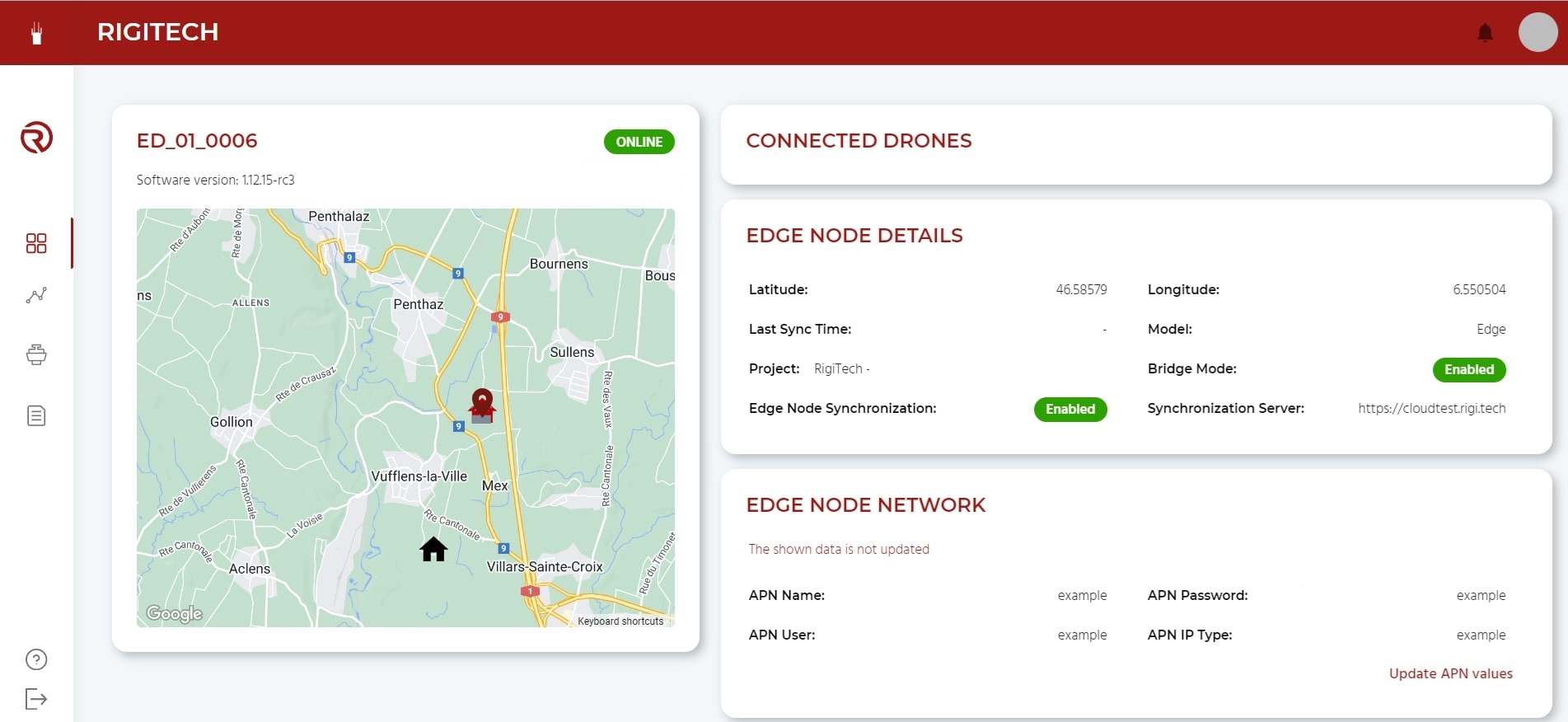
- APN configuration for the SIM card for the Edge Node's Main link can now be done from the Edge Node's Dashboard page. This allows for easier swapping of SIM cards.
- A list of drones that are currently connected to the Edge Node is displayed in the Edge Node's Dashboard page.
Fixed/Improved
- Reduced Edge Node image size for faster software updates.
- Improved Terrain API response times and robustness, especially with many concurrent users.
- Improved End-to-End testing pipeline for software releases.
- Bug fixes, reliability improvements, software refactors.
Onboard software (OC) - v0.24.0:
Fixed/Improved
- Improved networking backend:
- The drone can now send status messages to the Control Tower through its backup, low-latency links (Failsafe link and SBD link).
- Camera startup optimisation to improve time-to-first-fix (TTFF) for GNSS sensors.
- Bug fixes, reliability improvements, software refactors.
Autopilot (AP) software - v2.5.0:
New Features
- More robust Position Loss failsafe
- The previous Global Position Loss failsafe was based on a combination of signals from the GNSS sensors as well as onboard inertial sensors and cameras. If GNSS position was lost, the drone could still continue flying for a time using the other sensors. In some jurisdictions, a loss of GNSS must trigger a failsafe action even with other sensors present. A new parameter provides an option to trigger the Global Position Loss failsafe a fixed time after GNSS loss, even if the other sensors are indicating a robust Global Position. GNSS is considered as loss if the GNSS measurements are not updated or if the GNSS signal's quality falls below the operating requirements.
- The option to "Terminate" is available as a failsafe action for a global position loss.
- A new wind warning and wind Failsafe allows actions to be performed automatically if the wind speed detected by the drone is outside of its operating limits. The operating limits for the warning and failsafe action can be defined within the safety profile of the route.
Fixed/Improved
- Improved handling of contingency actions after another action has already been triggered.
- Improved handling of Landing algorithm initialisation.
- Bug fixes, reliability improvements, software refactors.
Failsafe Computer (FS) firmware - v0.16.0:
Fixed/Improved
- Bug fixes, reliability improvements, software refactors.